On the Ubiquity ER-X you can add a static lease like this:
Note use pacs.lab instead of just pacs
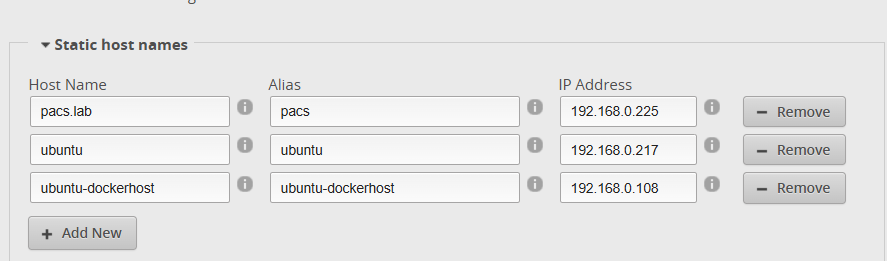
And adding the DNS entry is done like this:
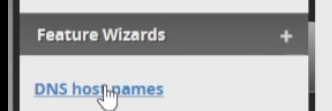
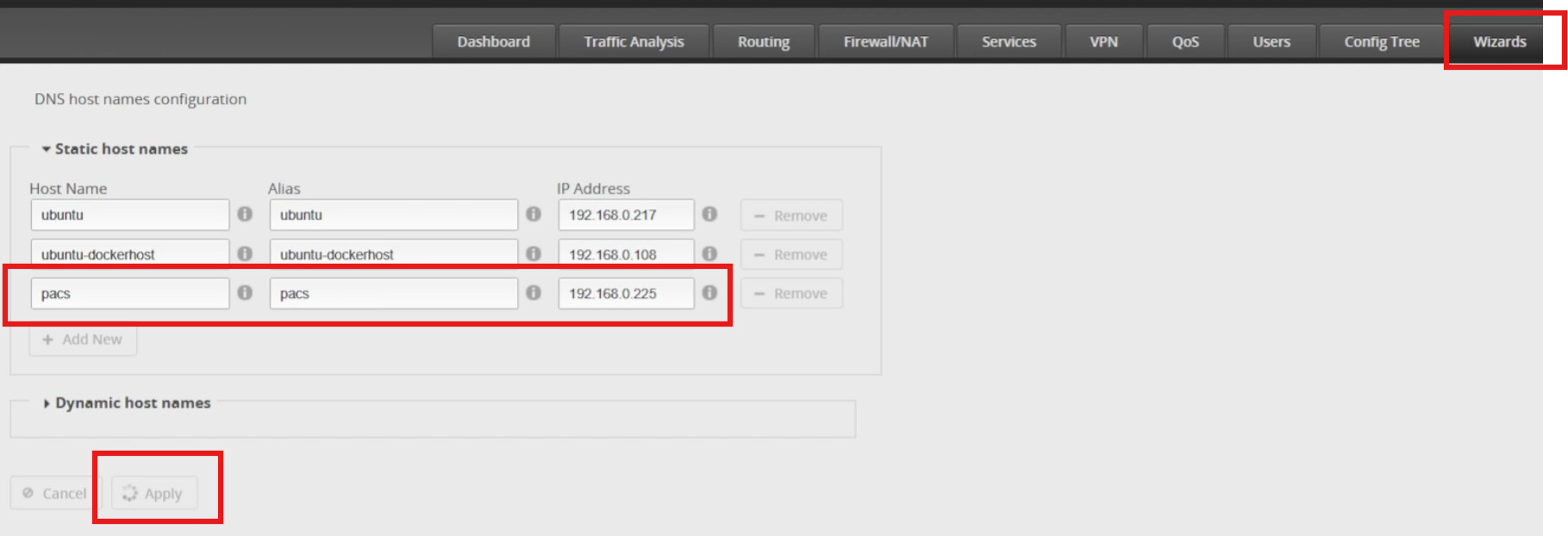
You can even add multiple dns names for the same ip like here we have pacs.lab and dcm4che
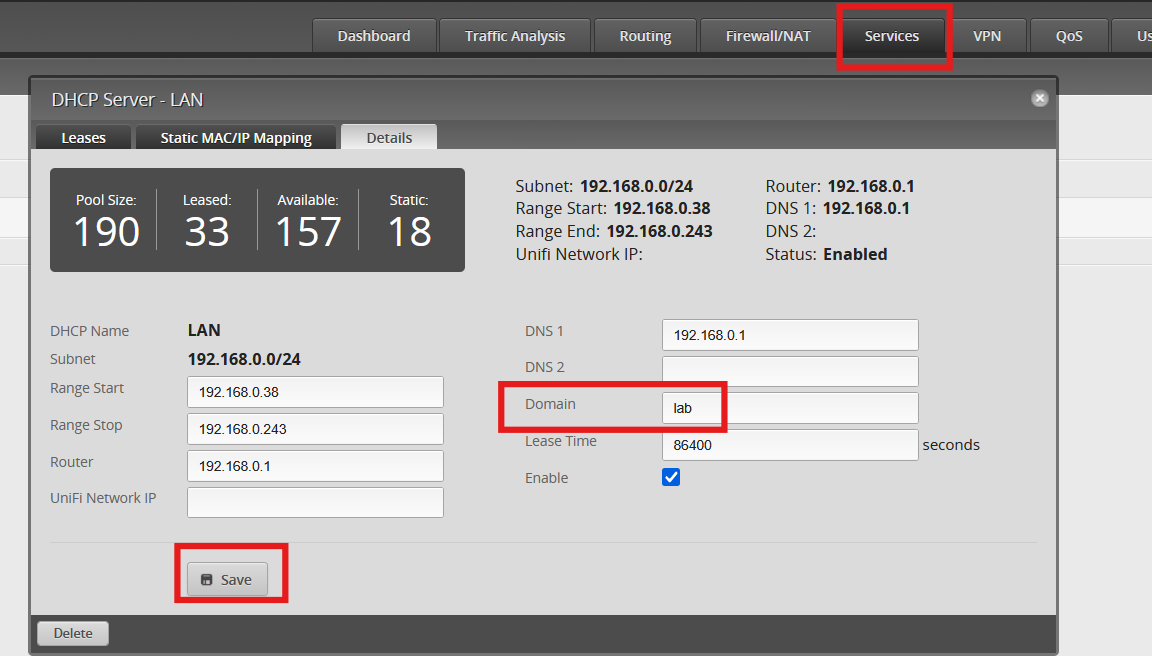
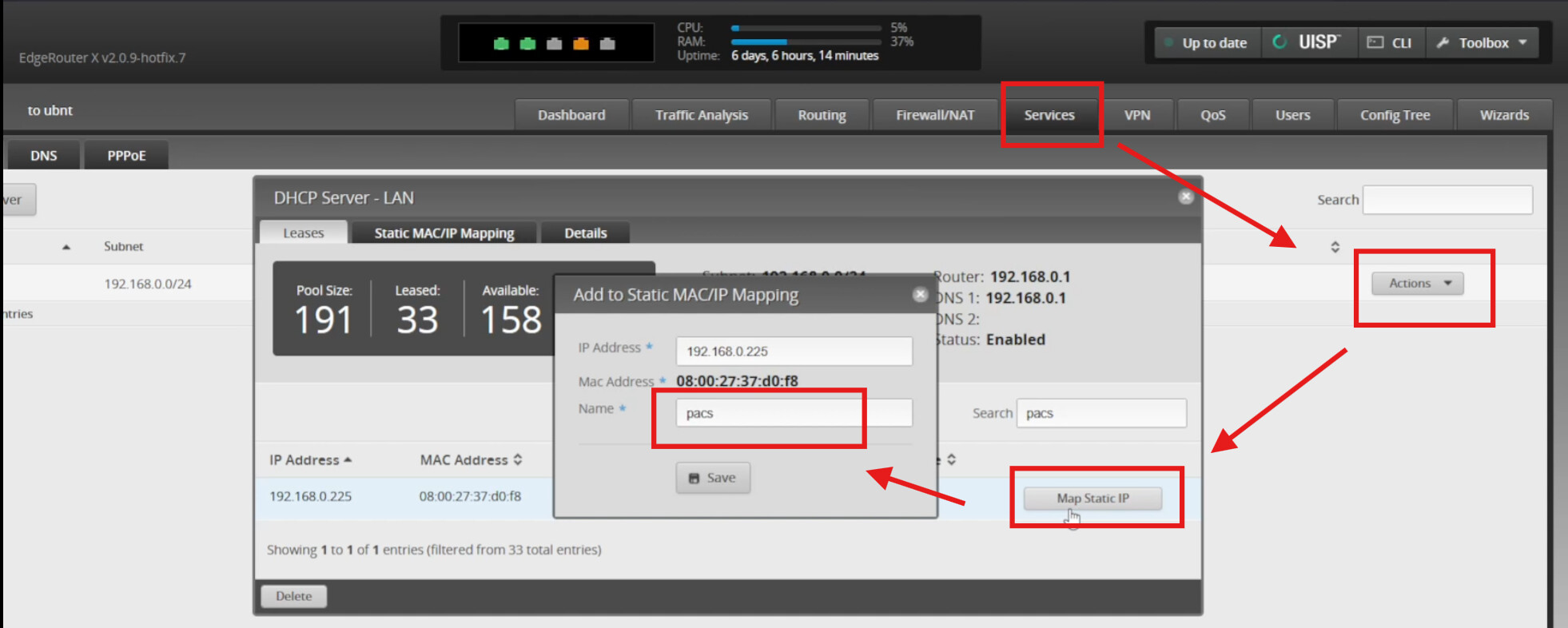
On the Ubiquity ER-X you can add a static lease like this:
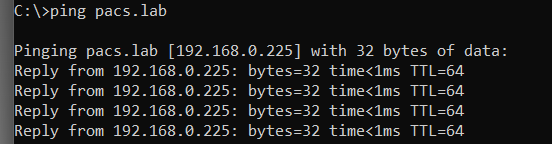
Note use pacs.lab instead of just pacs
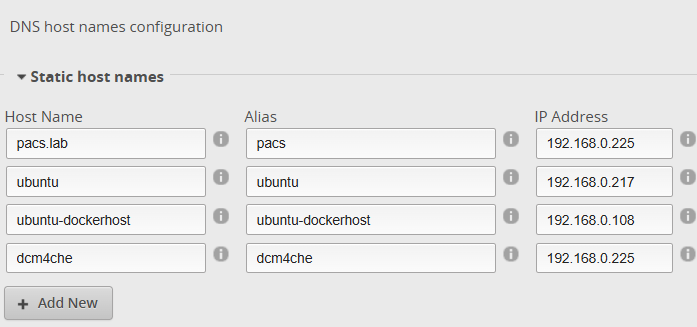
And adding the DNS entry is done like this:
You can even add multiple dns names for the same ip like here we have pacs.lab and dcm4che