The setting can be found at the location described in the screenshot
Accepted Calling AE Title
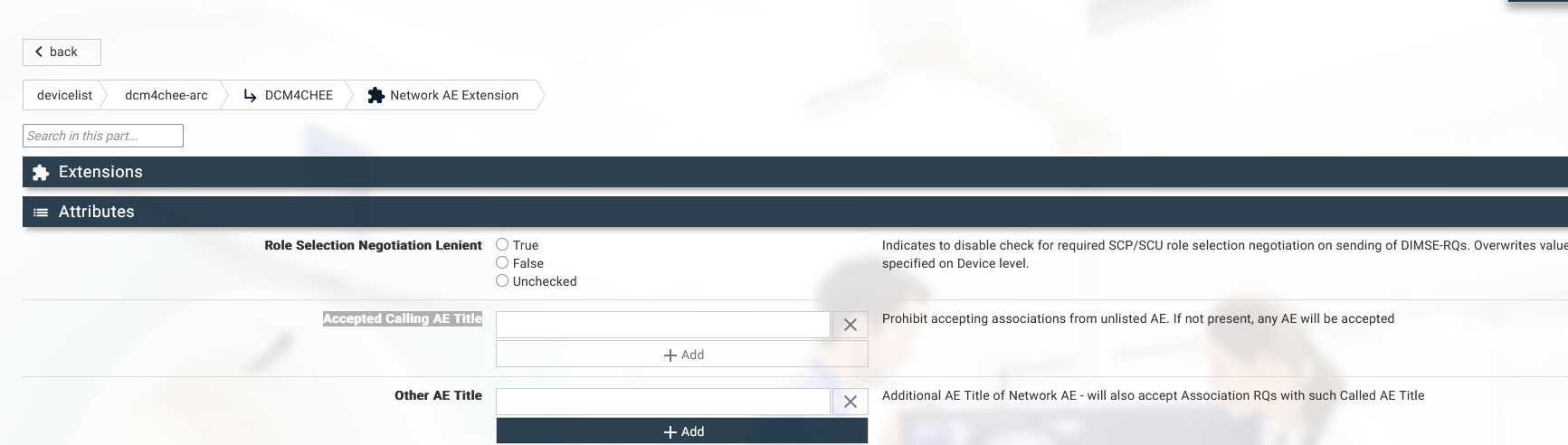
Just add as many AE titles you need here. But by default it’s empty and in that case will accept any connections.
To get to the setting you can go to the configuration menu item and the Devices tab
http://localhost:port/dcm4chee-arc/ui2/en/device/devicelist
and click on the dcm4chee-arc device
After that navigate based on the screenshot. If you need a helper video or more screenshots let me know down below in the comments.