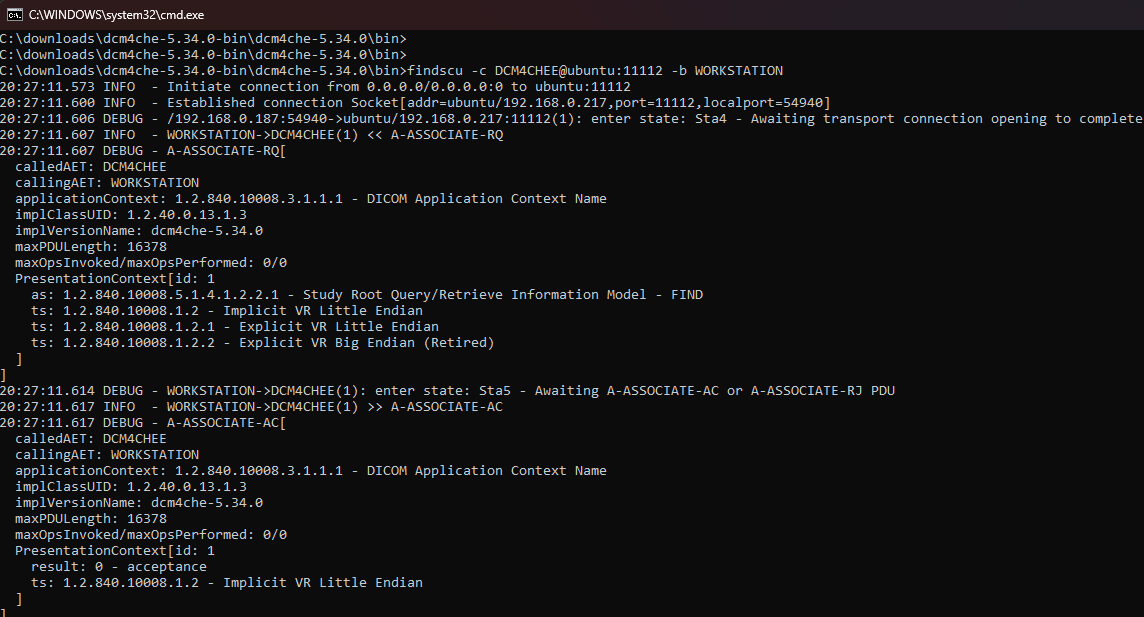
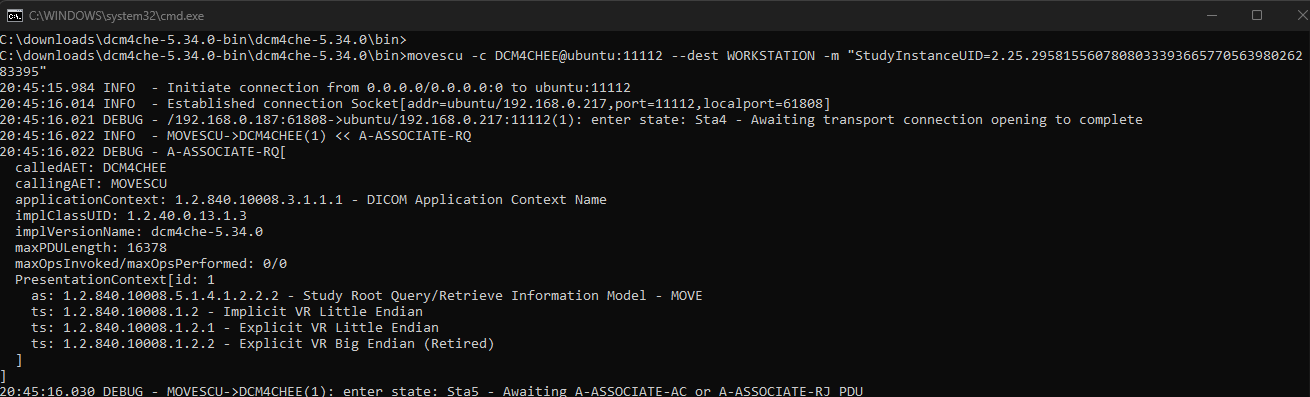
Here is one more example where the CALLING AE is given with the -b option and a folder is given. This is handy for sending multiple files in one go and it will iterate through sub folders.
If you are using the same test material multiple times you might run into SUID conflicts.
So you could add --uid-suffix .1 so that you change Study UID, Series UID and Instance UID adding to the end. This only works if the original test content you have has UID’s which are not yet at the max length of 64 chars.
I’m working on a university project where I need to simulate a basic medical imaging workflow using Orthanc as a DICOM server and dcm4che as a client toolkit.
Currently, I have Orthanc running on port 104, and I would like to simulate another DICOM node (a radiologist’s workstation) communicating with it on port 11112. The goal is to send, query, and retrieve DICOM images — in other words, perform C-STORE, C-FIND, and C-MOVE operations to generate realistic network traffic for later security analysis.
So far, I’ve been able to send images to Orthanc using this command:
./dcm4che/bin/storescu -c ORTHANC@localhost:104 /directory to the images .dcm
However, I’m struggling to understand how to correctly set up the connection for the next steps:
How to configure a second DICOM AE (for example, a workstation on port 11112)?
How to use findscu and movescu properly so that Orthanc responds to C-FIND queries and sends images to that second AE using C-MOVE?
In the project instructions, we are asked to:
Configure Orthanc as a PACS on port 104.
Simulate a professional requesting images from another port (11112).
Use findscu and movescu from dcm4che to perform these interactions.
Could someone please explain (or show an example) of how to correctly configure both sides — Orthanc and the dcm4che tools — so that the C-MOVE operation works between port 104 (Orthanc) and port 11112 (the simulated workstation)?
Thanks in advance for any help or example configuration!
For my test below I didn’t actually start storescp to listen for the study so it didn’t actually go anywhere but my PACS server did receive the command.
Thanks a lot for the help earlier, it really helped me get the C-FIND and C-MOVE parts working and I could see everything you said on wireshark!
Now I’m moving to the next part of the project, where I need to implement TLS to compare DICOM communication with and without encryption (for packet analysis and performance comparison).
But I’m not sure how this fits into Orthanc’s setup today, do I need to modify again the orthanc.json file to enable TLS, or configure it differently using SSL options?
Any short example or explanation on how to properly enable TLS in Orthanc (and connect dcm4che securely) would be really appreciated.